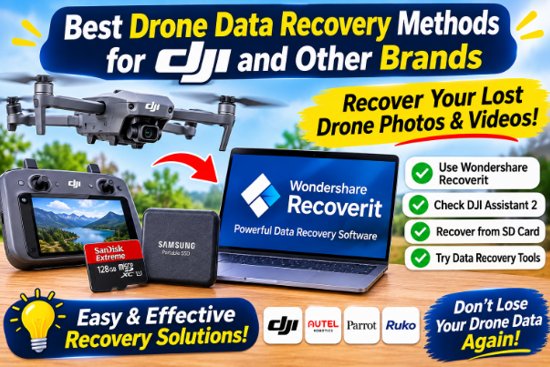
Drones capture footage that cannot be reshot – a wedding aerial, a construction progression, a landscape at golden hour. When that footage disappears, the recovery method you choose determines whether you get it back or lose it for good.
This guide covers the best drone data recovery methods for DJI and other brands, what makes drone recovery different from ordinary video recovery, and how to choose the right approach.
Why Drone Data Recovery Is Different
Drone footage brings its own complications:
- Very large files. A 4K drone clip can be several gigabytes, split into many fragments.
- High-bitrate recording. Drones write at sustained high speeds, so cards are heavily used.
- Abrupt recording ends. Flights end with power-downs, crashes, or landings mid-write – leaving incomplete files.
- Brand-specific formats. DJI, Autel, Skydio, and others have their own folder structures and codecs.
- Automatic reformatting. Many drones reformat cards they do not recognize.
A recovery method that works for a deleted JPEG will not necessarily work for a fragmented 4K drone clip. That is why drone recovery needs a tool tuned for it.
See also: Why scooters for seniors are outselling standard mobility chairs this year
Method 1 – Direct Card Scanning with Recoverit
The most reliable drone recovery method is direct card scanning with a drone-aware tool.
Wondershare Recoverit uses AI device recognition to identify the drone type and its formats, and then scans the card accordingly.
Steps:
1. Remove the card from the drone and connect it with a reader.
2. Launch Recoverit, select the card from the SD Card Recovery section, and click Scan.
3. Now, Recoverit will conduct a deep scan on the drone sd card. Please wait patiently to let it complete the whole process.
4. Once it’s done, select the clips, and preview to confirm that they work fine. Then recover them to a different drive.
Method 2 – Video Repair for Footage That Won’t Play
Drone footage frequently recovers but refuses to play – the file is there, but its structure is damaged. This is where video repair comes in:
- Standard repair rebuilds MOV and MP4 files.
- Advanced Repair uses a sample clip from the same drone to rebuild severely damaged files.
The technique is especially valuable for drone footage, because flights that end abruptly (a crash, a forced landing, a dead battery) leave the last clip truncated. Repair often brings it back.
Method 3 – Backup Recovery
If you follow a disciplined workflow, your backup may already have the footage. Before deep recovery:
- Check your computer or SSD for the last offload.
- Check cloud storage if you use automatic uploads.
- –Check a second card if your drone recorded to two.
This is not recovery software – it is recovery by redundancy, and it is always the fastest method when it applies.
Method 4 – Reading a Card That Will Not Mount
Sometimes the card is detected by the computer but will not mount – no drive letter, no folder, nothing. This is a common drone scenario, and it does not mean the footage is gone.
- Check Disk Utility (Mac) or Disk Management (Windows). If the card appears there but not in Finder/Explorer, the file system is damaged.
- Scan it anyway. Recovery software reads the raw device, bypassing the mount requirement.
- Do not “initialize” or “format” when the computer prompts you. Those prompts destroy recoverable data.
Comparing the Methods
- | Situation | Best method |
- | Footage deleted, card untouched | Quick scan, then recover |
- | Card formatted in the drone | Deep scan with Enhanced Recovery |
- | Clip recovered but will not play | Video repair (Advanced if severe) |
- | Card will not mount | Raw scan, bypassing the file system |
- | Backup already exists | Restore from the backup |
Working down this list is faster than jumping straight to the most aggressive scan – and it avoids unnecessary reads on a fragile card.
What to Look for in Drone Recovery Software
- Brand awareness. DJI, Autel, and Skydio cards have different layouts; device recognition matters.
- 4K and high-bitrate support. Fragmented large files need fragment matching.
- Video repair built in. Abrupt recording ends make repair a routine need.
- Preview before recovery. You need to identify the right flight before saving.
- Multi-card and multi-drone support. If you fly several drones, one tool should cover all.
Why Recoverit Stands Out for Drone Recovery
Recoverit brings together the features drone recovery needs:
- AI device recognition identifies the drone brand and adapts the scan.
- Enhanced Recovery reassembles fragmented 4K/UHD footage with patented scan-collect-match technology.
- Video repair rebuilds corrupted MOV and MP4 files, with Advanced Repair for severe damage.
- 1,000+ formats and 2,000+ storage devices, covering drone cards, phones, and computers.
- Free scan and preview confirm your flight is recoverable before committing.
The result is one tool for the whole drone workflow: from a deleted clip to a corrupted file to a card that only holds fragments.
Recovering from a Drone That Crashed
A crash is the hardest scenario: the card may be intact but the last file is incomplete, or the drone may not power on at all.
- If the drone powers on, remove the card and scan it normally. Verification: The card mounts on your Mac or appears in your recovery tool.
- If the drone will not power on, remove the SD card and read it with an external card reader. Verification: The card reader’s indicator light shows activity when plugged into your Mac.
- If the card itself is physically damaged, stop immediately and consult a professional data recovery service to avoid permanent data loss. Verification: Visible cracks, broken pins, or a completely unresponsive card mean physical lab intervention is required.
The drone recovery module and the Recoverit platform cover the software side; physical damage is a separate problem.
Conclusion
The best drone data recovery methods share one thing: they act on the card itself, with a tool that understands drone footage. Direct card scanning with AI device recognition, Enhanced Recovery for fragmented 4K, and video repair for damaged clips form the complete toolkit. With Wondershare Recoverit, you can recover drone data from DJI and other brands in one workflow. Whatever the drone, whatever the loss – the footage is usually still on the card.