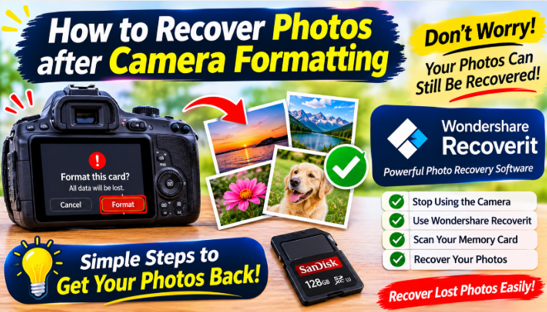
Formatting a camera memory card is meant to be a fresh start – a clean card ready for the next shoot. But when you format the wrong card, or format before backing up, it becomes one of the most stressful moments in photography. The instinctive question: are my photos gone?
The answer, in most cases, is no. A quick format – what cameras do by default – clears the file system index but leaves the photo data on the card. Your photos are still there until new shots overwrite them.
What Camera Formatting Actually Does
When you format a card in a camera:
- The camera clears the file system index that points to your photos.
- It writes a fresh, empty index.
- The photo data itself remains on the card.
This is why formatted cards recover so well. The critical rule: stop shooting on the card immediately. Every new photo after the format can overwrite the old ones.
It helps to understand why cameras format this way. A full physical format would take minutes and write over every byte – unacceptable when a photographer wants to keep shooting. So camera makers optimized formatting to be near-instant: rewrite the index, declare the card empty, move on. That speed is exactly what makes formatted photos recoverable, because the underlying image data was never touched.
See also: Why scooters for seniors are outselling standard mobility chairs this year
What About Formatting on a Computer?
Formatting a card on a computer is a different story, and a riskier one:
- Quick format on Windows or Disk Utility on Mac behaves much like the camera’s format—the index is cleared, but the underlying data remains intact. Recovery odds remain high. Verification: Files from the card can still be detected and previewed using a deep scan in your recovery software.
- Full format / overwrite writes zeros or random data across the entire card. This completely destroys the photo data, making recovery virtually impossible. Verification: A scan of the drive returns only blank sectors or random garbage data with no valid file headers.
If you formatted on a computer, check which option you used. A quick format leaves the door open; a full format closes it. Either way, avoid touching the card before you scan.
Step-by-Step: Recover Photos after Camera Formatting
Step 1 – Remove the Card and Stop Shooting
Take the card out of the camera at once. Do not record or shoot anything else on it. Connect it to your computer with a card reader.
Step 2 – Scan with Recoverit
Wondershare Recoverit recovers photos after camera formatting with AI-powered file identification – the scan rebuilds the file patterns the format removed from the index. It is part of the Recoverit platform, which recovers formatted cards, drives, and devices across every major platform.
- Launch Recoverit and click SD Card Recovery.
2. Select the card and click Scan.
3. Let the scan rebuild the file patterns – formatted photos are found at the data level, not the index level.
Step 3 – Preview and Recover
Filter by photo type and preview the images. Recoverit shows accurate thumbnails and auto-repairs damaged photos during preview. Select what you need and click Recover, saving to a different drive than the card.
Quick Format vs. Full Format
Two things determine how many photos you recover:
- Quick format (camera default) – clears the index only; nearly all photos recoverable.
- Full format / overwrite (rare in cameras) – rewrites the whole card; recovery is harder but often still possible via deep scan.
If the card was reformatted more than once, each format rewrites the index but not necessarily the data – the deep scan still has a strong chance.
How Long Do You Have?
The recovery window after formatting is measured in writes, not days. Some photographers recover formatted photos a month later because they never touched the card again; others lose everything within an hour because they kept shooting. As a rule of thumb:
- Card untouched since formatting – excellent odds, usually a near-complete recovery.
- A few dozen new photos – good odds; recent shots may be missing pieces.
- Card filled again and reformatted – poor odds; only fragments may survive.
This is why the advice is blunt: the moment you realize a card was formatted by mistake, set it aside. Use a different card for the rest of the shoot.
When to Run a Deep Scan
If the first scan does not find everything – because the card was formatted longer ago or used afterward – run the deep scan. It reads the raw sectors and rebuilds photos from their signatures, routinely finding images the first pass missed. Recoverit’s AI-powered file identification helps here, recognizing photo formats even without file system references.
Mistakes That Cost Formatted Photos
- Shooting on the card again. The #1 way formatted photos become unrecoverable.
- Reformatting “to try again. Every format rewrites the index and risks more.
- Recovering to the same card. Save recovered photos to a different drive.
- Waiting too long. The card is safest when it sits unused after formatting.
Preventing Format Mistakes
- Confirm before formatting. Read the camera’s prompt; formatting is rarely urgent.
- Back up before reformatting. No format without a verified backup.
- Label your cards. Know which cards hold unbacked-up work.
- Use two-card cameras. Mirroring gives you a fallback.
- Format at the start of a shoot, never mid-workflow.
Conclusion
Formatting a camera card does not erase your photos – a quick format clears the index, and the image data stays on the card until overwritten. Stop shooting, connect the card, and scan with a tool that rebuilds file patterns. With Wondershare Recoverit, you can recover photos after camera format with AI-powered identification in three steps – scan, preview, recover. The shoot you thought was wiped is still on that card, and it is worth the recovery.